· RustDesk Team · Deployment · 3 min read
Can RustDesk Server Pro Run Offline or Air-Gapped?
No — self-hosted RustDesk Server Pro needs ongoing outbound access to rustdesk.com to validate its license, so a fully air-gapped deployment isn't supported.
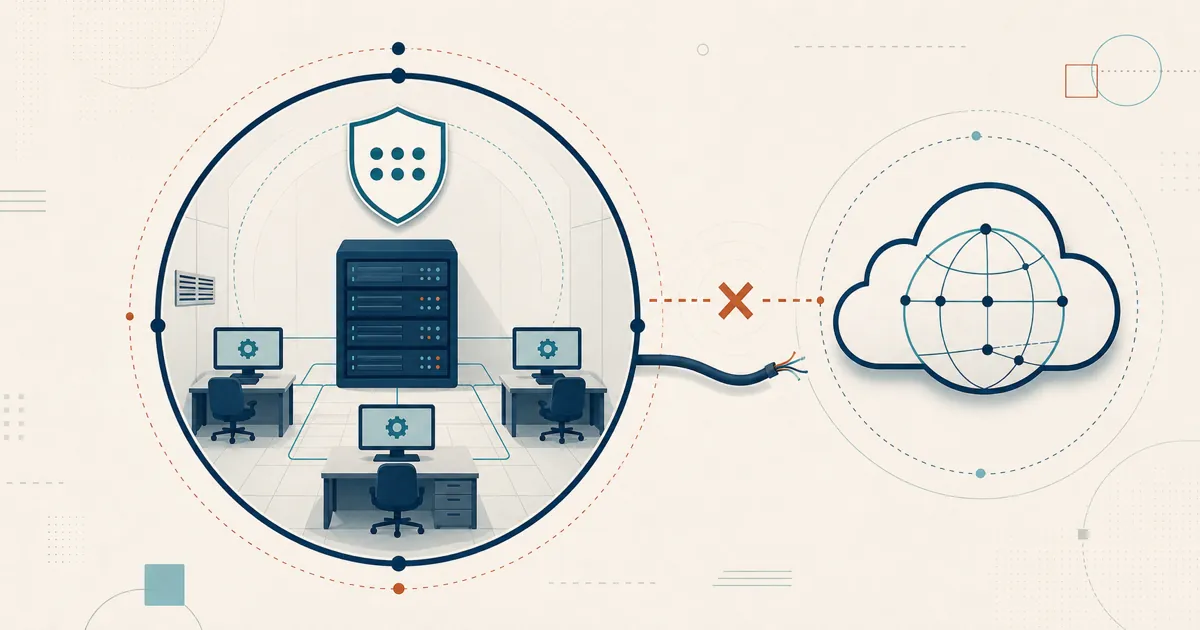
No — a self-hosted RustDesk Server Pro deployment is not designed to run fully offline or air-gapped. The Pro license has to reach rustdesk.com over an outbound connection to stay valid — both when you activate it and on an ongoing basis while the server runs — so a truly never-phones-home network falls outside the supported model.
The short answer
In practice the check is periodic rather than constant: the server contacts rustdesk.com over port 443 roughly once a day, and if a check fails it retries until it either succeeds or about seven days elapse — after which the license stops validating. That built-in grace window means a short internet outage will not immediately break your deployment, but a permanently offline server will. Your ID and relay services stay self-hosted; direct sessions flow between endpoints and relayed sessions use your relay. A proxy is supported, so you can allow the required outbound HTTPS path and lock the rest of the network down.
In detail
This requirement applies specifically to the licensed Server Pro feature set — the open-source RustDesk server you can self-host without a license is a separate matter. If your goal is to keep session data on your own infrastructure, self-hosting already achieves that: the outbound requirement is about licensing, not about brokering every session.
One more workflow to account for: building a custom client. If you generate a branded or pre-configured client from Server Pro, that provisioning step also expects outbound access. Confirm the current behavior for your version and plan.
For a strictly air-gapped network, this is the deciding detail: a server that can never reach rustdesk.com falls outside the default model, so if you have hard air-gap requirements, confirm your exact scenario with RustDesk before committing. For the far more common “mostly isolated, tight egress” setup, budget for one outbound HTTPS path to rustdesk.com — directly or via a proxy — and define the exact domains, ports, and approval workflow before you write the firewall policy. See the RustDesk docs, and note that the same license requirement is why you cannot run Server Pro without any internet access even when installing without Docker.
Who asks this
Operators of isolated or regulated networks ask this before RustDesk is even installed — security teams and MSPs serving locked-down environments alike, whether behind strict egress firewalls or simply minimizing external dependencies. Knowing the license needs an ongoing outbound path — but only that — lets them write a precise firewall rule instead of over-opening the network or wrongly assuming the product will run in a total vacuum.
Related questions
- Outbound domains and ports: see the RustDesk docs.
- Can I install RustDesk Server Pro without Docker on a plain VM?
- Generating a custom-branded client: see the RustDesk docs.
Planning a locked-down or near-air-gapped rollout? Confirm the current connectivity and licensing specifics on rustdesk.com before you finalize your firewall policy.
Frequently asked questions
Can RustDesk Server Pro run offline or air-gapped?
No. The licensed Server Pro must keep an outbound connection to rustdesk.com to validate its license while it runs, so a fully air-gapped, never-phones-home deployment is not supported. You can still lock egress down tightly and route it through a proxy.
Does RustDesk Server Pro need a permanent internet connection?
It needs ongoing outbound access to rustdesk.com for license validation, but not a literally uninterrupted one. The server checks in over port 443 about once a day and, if a check fails, keeps retrying until it succeeds or roughly seven days pass — so a brief outage is tolerated, but a server cut off from rustdesk.com for longer than that grace window stops validating. Remote sessions themselves are brokered by your own self-hosted relay and ID (rendezvous) servers.
Which outbound access does an isolated RustDesk Server Pro deployment need?
Allow outbound HTTPS from the server to rustdesk.com for license validation (and for custom-client provisioning if you use it). A proxy is supported, so the rest of the network can stay locked down. Confirm the exact domains and ports in the RustDesk docs.
Is there a fully air-gapped RustDesk licensing option?
The standard licensed product is not designed for a never-phones-home air gap. If you have hard air-gap requirements, confirm your exact scenario with RustDesk before committing.