· RustDesk Team · Comparisons · 5 min read
RustDesk vs RDP: Cross-Platform vs Windows-Native
RustDesk vs Microsoft RDP: a practical comparison of cross-platform reach, internet access without a VPN, LAN speed, and security trade-offs.
Microsoft’s Remote Desktop Protocol (RDP) is the default answer for a lot of Windows shops: it is built in, it is fast, and it already speaks Active Directory. RustDesk approaches the same problem from a different direction — cross-platform, internet-first, and open source. Neither is strictly “better.” They are built for different shapes of network.
This comparison sticks to durable, verifiable differences: which platforms each supports, how each crosses the public internet, where the performance edges are, and the security trade-offs that come with each model.
The core architectural difference
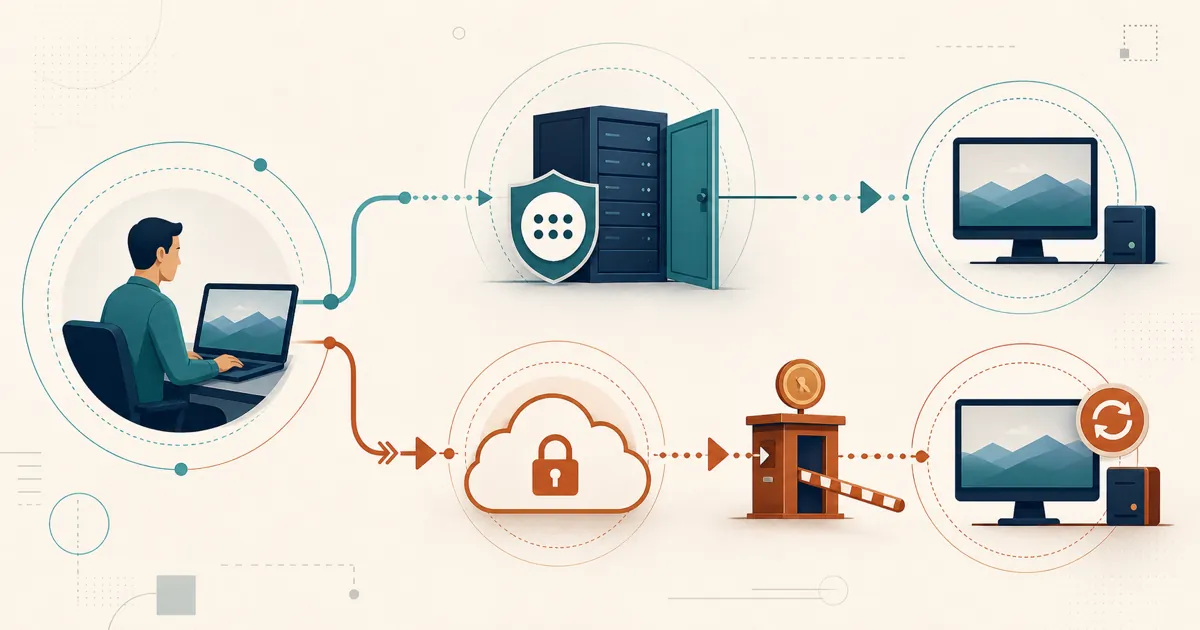
RDP is a protocol built into Windows. When you enable Remote Desktop, Windows opens a listening port (TCP 3389) and waits for an inbound connection. That is elegant on a LAN and painful across the internet, because something has to route an outside connection to that port — a VPN, an RD Gateway, or port-forwarding on your router.
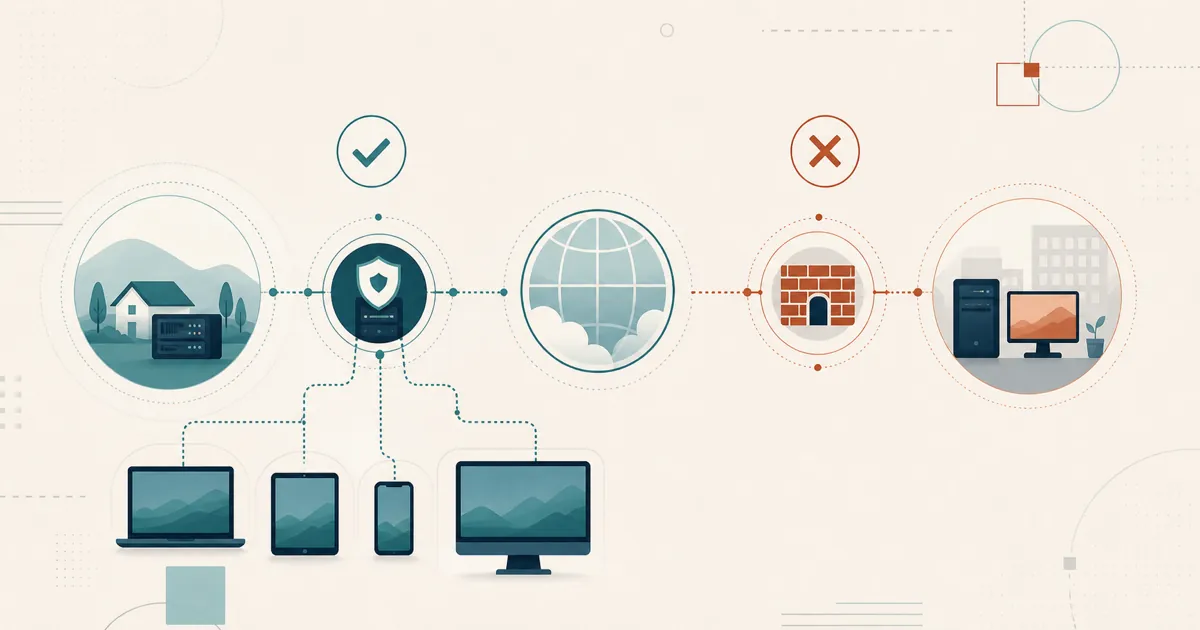
RustDesk inverts that model. The client makes an outbound connection to an ID/rendezvous server, which brokers a peer-to-peer session between two devices and falls back to a relay when a direct path is not possible. Per the RustDesk documentation, sessions are end-to-end encrypted (built on NaCl), and you can point every client at the public infrastructure, your own self-hosted server, or a rendezvous/relay you write yourself. Because endpoint clients initiate outbound connections, RustDesk traverses NAT and firewalls without a VPN or per-endpoint port-forwarding. This no-inbound-port benefit applies to the endpoints: a self-hosted server still accepts inbound connections on the documented ID, rendezvous, relay, and optional WebSocket service ports.
Platform reach
RDP hosting is a Windows feature, and not on every edition. Microsoft is explicit: “Windows Home editions can’t serve as Remote Desktop hosts,” and only “Windows Professional, Enterprise, Education editions, and Windows Server editions … can act as hosts for incoming Remote Desktop connections” (Microsoft Learn). Reaching a Mac or Linux box usually means bolting on third-party RDP servers or switching tools.
RustDesk can control and be controlled on Windows (including Home), macOS, Linux, and Android, subject to each operating system’s permissions. The iOS app acts as a controller only; Apple does not allow an iPhone or iPad to operate as a RustDesk remote-control host.
Crossing the internet: the security fork in the road
This is where the two philosophies diverge most sharply. Microsoft’s own guidance for reaching a PC from outside its network is to “use port forwarding or set up a VPN” (Microsoft Learn). Port-forwarding raw RDP to the internet is the option you should not take.
Exposed RDP is one of the most abused entry points in cybercrime. The FBI’s Internet Crime Complaint Center warned years ago that “cyber actors … increasingly exploit the Remote Desktop Protocol to conduct malicious activity” (IC3 PSA), and the pattern has only hardened since — RDP compromise remains one of the most common initial-access vectors in ransomware incidents (RH-ISAC). Internet-wide scanners find a freshly exposed 3389 within minutes and start credential-stuffing it.
The safer way to publish RDP is through a properly configured VPN or RD Gateway with Network Level Authentication, but that is infrastructure you have to maintain. RustDesk uses outbound registration, NAT traversal, and relay fallback rather than exposing RDP directly on each endpoint. It still requires current clients, strong access controls, and review of public vulnerability records.
RustDesk vs RDP at a glance
| RustDesk | Microsoft RDP | |
|---|---|---|
| Cost | Open source; free self-hosted community server | Free, built into Windows Pro/Enterprise/Education/Server |
| Source code | Open source (AGPL), auditable | Proprietary |
| Host platforms | Windows, macOS, Linux, Android | Windows Pro/Enterprise/Education/Server (not Home) |
| Controller platforms | Windows, macOS, Linux, Android, iOS | Windows, macOS, iOS, Android, and other Microsoft clients |
| Internet access | NAT traversal via rendezvous + relay, no VPN or port-forwarding | Needs VPN, RD Gateway, or port-forwarding |
| Inbound port exposed | None on endpoints; service ports on a self-hosted server | TCP 3389 unless tunneled (ransomware vector) |
| Encryption | End-to-end (NaCl) by default (docs) | TLS/NLA; strong when configured correctly |
| LAN performance | Strong; codec-based | Native, lowest-latency on LAN |
| Directory/policy integration | LDAP/AD + OIDC SSO on Server Pro (Basic and up) | Deep Active Directory / Group Policy integration |
| Self-hosting | Yes — your own ID/relay server | N/A (native OS feature) |
Confirm current RustDesk plan details at rustdesk.com/pricing.
Where RustDesk pulls ahead
RustDesk’s advantages show up the moment you leave that tidy single-domain LAN:
- Mixed operating systems. One AGPL app controls Windows, macOS, Linux, and Android hosts; iOS can be used as a controller but not as a host.
- Internet access without exposure. No 3389 on the internet, no per-endpoint VPN, no RD Gateway to run.
- Open source and self-hostable. You can read the code, build it yourself, and keep the ID/relay servers — and your device list — on infrastructure you control. That auditability and data-residency story is the crux of the case for self-hosting.
- Consumer Windows and BYOD. RustDesk works on Windows Home and unmanaged devices that RDP can’t host.
The trade cuts the other way too: self-hosting means someone on your side runs the server — you provision a host, restrict ports, set up TLS, and patch it over time. That is the trade for control. If you want a native feature with nothing new to operate on a Windows-only LAN, RDP is hard to argue with.
So which should you use?
For many teams the answer is both: RDP for fast, native, in-domain sessions on the LAN, and RustDesk for cross-platform, cross-internet, and BYOD access without punching a hole in the firewall. If you only need one, let the network shape decide — homogeneous Windows LAN leans RDP; mixed platforms, remote users, and self-hosting requirements lean RustDesk.
Try it
Self-host the free community server today, or email [email protected] about evaluation terms. Standard plan rates are at rustdesk.com/pricing, and there’s a full walkthrough on the RustDesk YouTube channel.
Frequently asked questions
Is RustDesk better than RDP?
It depends on the job. RDP is faster and free on a LAN between Windows Pro machines and integrates with Active Directory. RustDesk is cross-platform, brokers connections across NAT and firewalls without a VPN or port-forwarding, and is open source and self-hostable. Many teams use RDP internally and RustDesk for remote and mixed-OS access.
Do I need to open port 3389 to use RustDesk?
No. RustDesk connects out to an ID/rendezvous server and negotiates a peer-to-peer or relayed session, so you do not expose an inbound RDP port. Exposing port 3389 directly to the internet is a well-documented ransomware entry point, which is why RustDesk avoids it entirely.
Does RDP work on Windows Home?
No. Per Microsoft, Windows Home editions cannot act as a Remote Desktop host; only Professional, Enterprise, Education, and Windows Server editions can accept incoming RDP connections. RustDesk can host remote sessions on Windows Home, macOS, Linux, and Android; iOS acts as a controller only.
Can RustDesk connect to a Mac or Linux machine?
Yes. RustDesk can control macOS and Linux hosts from its supported desktop and mobile controller apps. RDP is primarily a Windows host protocol, so reaching macOS or Linux hosts usually means adding third-party servers or clients. RustDesk for iOS can control other devices but cannot expose an iPhone or iPad as a remote-control host.