· RustDesk Team · Security · 8 min read
Remote Desktop Data Sovereignty & GDPR: Self-Hosting
How self-hosting gives regulated teams control over rendezvous, relay, and device data — and which GDPR and compliance questions remain.
If your organization is bound by GDPR, healthcare privacy rules, or a public-sector “our data stays on our infrastructure” mandate, one question decides which remote desktop tool you can even shortlist: where does the session data actually go?
With most mainstream remote-access products, the answer is “through the vendor’s cloud.” Your technician connects, your endpoint connects, and the traffic is brokered by servers you don’t own, in a jurisdiction you may not control. For a lot of buyers that’s fine. For regulated teams, it’s a compliance problem before anyone has even shared a screen.
This guide is about remote desktop data sovereignty: what it means, why it matters for regulated and EU buyers, and which parts of a remote-access deployment self-hosting lets you control. We’ll use RustDesk as the worked example.
What “data sovereignty” means for remote access
Data sovereignty is the principle that data is subject to the laws of the country where it’s physically stored and processed. For remote support, the sensitive data isn’t just files you transfer — it’s the session itself: what’s on the screen, the list of devices you manage, the connection metadata, and often the routing of the pixels in real time.
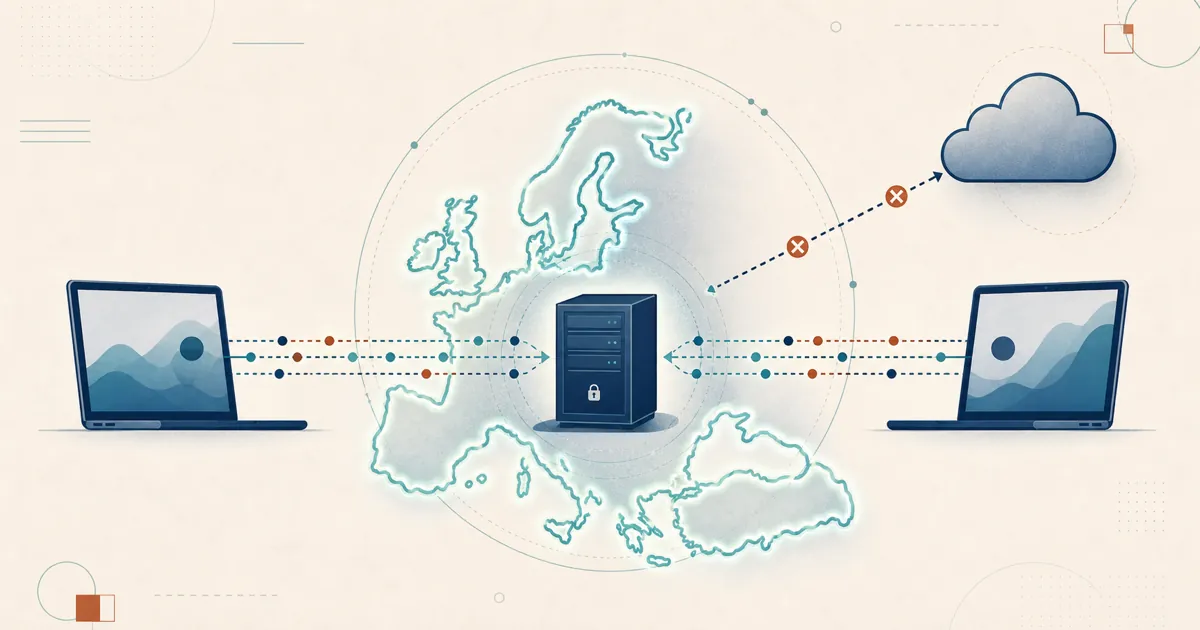
The core questions are: which systems store metadata, which systems relay traffic, and where are both endpoints? Self-hosting can remove a vendor-operated rendezvous or relay service from the path, but it cannot guarantee that a session between endpoints in different countries remains in one jurisdiction.
The core difference: vendor cloud vs. your infrastructure
This is where architecture, not marketing, decides the outcome.
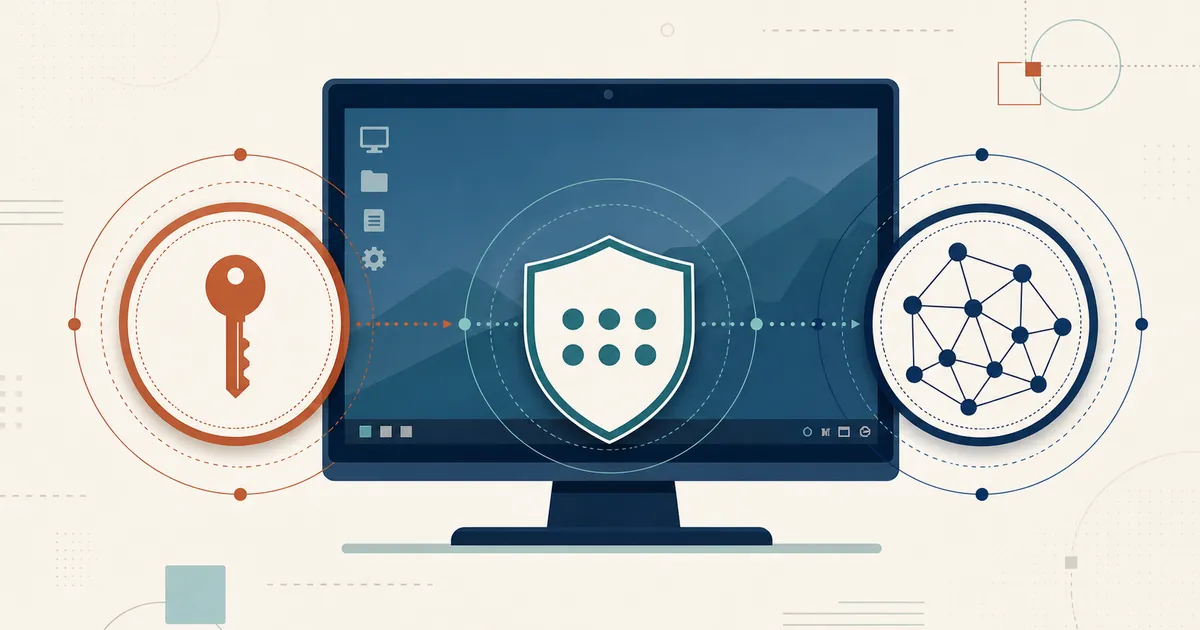
RustDesk Server Pro is self-hosted. The ID/rendezvous server, relay server, web console, and managed-device data run on infrastructure you choose. RustDesk first attempts a direct peer-to-peer connection through hole punching; if that fails, session traffic uses your configured relay. This gives you control over the rendezvous/relay layer and stored device data, but the endpoints and their network routes still determine where direct traffic travels.
| Vendor-cloud tools | Self-hosted RustDesk | |
|---|---|---|
| Where sessions are coordinated | Vendor’s cloud | Your ID/rendezvous server |
| Where session traffic flows | Vendor-defined routing | Direct between endpoints when possible; otherwise through your relay |
| Who controls data residency | The vendor | You choose server-side location and relay policy; endpoints still matter |
| Auditability of the client | Usually closed source | Open source (AGPL) — read and build it yourself |
| Who runs the server | Vendor | Your team |
Teams evaluating self-hosting often cite the ability to choose the location and operator of the rendezvous, relay, and management systems. That is a meaningful control, but it must be documented together with endpoint locations and routing behavior.
Benefit 1: You control the server-side data location
Placing the ID, relay, and management services in a German data center lets you document where those services and their stored data reside. If both endpoints are also within the required boundary and policy forces traffic through an approved relay, you can design a more constrained route. Without those additional controls, server placement alone does not establish that all session traffic remains in Germany.
Benefit 2: Open source means you can prove it, not just trust it
Data sovereignty isn’t only about location — it’s about knowing what the software does. RustDesk’s core is open source under AGPL. You (or your security team) can read the code, audit exactly what the client does, build it yourself, and run the free community server indefinitely. That auditability matters more than usual for remote access: because the software is trusted to control a machine entirely, buyers in regulated sectors increasingly want to verify what a client does rather than take a vendor’s word for it. Being able to inspect the client yourself is a concrete answer to “how do we know?”
Benefit 3: Sovereignty without a licensing tax
RustDesk standard plans are licensed per login-user plus per managed-device and include unlimited concurrent connections; Customized V2 instead limits and prices concurrent connections. You can upgrade a license as requirements change. Check the current plan matrix before purchasing.
The architecture also scales with your estate: RustDesk publishes large-fleet planning guidance for teams evaluating bigger deployments. For per-user access control, self-hosted deployments include a web console, a custom-branded client generator, device groups with a shared address book, and LDAP/SSO (OIDC) available from the Basic plan and up.
How RustDesk fits ISO 27001, SOC 2, or HIPAA requirements
Enterprise procurement and healthcare teams almost always ask how a remote-access tool maps to ISO 27001, SOC 2, or HIPAA. With a cloud product, you inherit — and depend on — the vendor’s certification of their infrastructure. RustDesk’s model is different, and for regulated teams the difference usually works in your favor: because you self-host, remote access runs inside the environment you already control and audit, so it falls under your ISO 27001 or HIPAA scope and your existing controls rather than a third party’s. You place the ID, relay, and console on infrastructure your program already covers, and — because RustDesk is open source — your security team can read and verify exactly what it does as part of an assessment, instead of trusting a closed binary.
A few practical notes:
- Self-hosting keeps the sensitive systems — rendezvous, relay, console, and device data — on hardware you own, which is exactly what a data-residency or HIPAA control is usually trying to guarantee. The deployment checklist further down turns that into documented controls.
- If your procurement specifically requires a vendor-side SOC 2 report, a signed Business Associate Agreement (BAA), a DPA, or completed security questionnaires, ask the RustDesk team at [email protected] what is currently available for your scenario.
- Because RustDesk is open source, “how do we know what it does?” is answered by inspection, not by a certificate you have to take on faith.
In short, self-hosting lets you fold remote access into the compliance program you already run — often a stronger position for a regulated team than renting a certified black box.
Controls that support a self-hosted GDPR program
Self-hosting is the foundation, and on top of it RustDesk provides concrete controls self-hosted teams rely on to meet GDPR in practice:
- Telemetry goes to your server, not RustDesk. The usage data described in RustDesk’s privacy policy — app start, IP address, basic machine stats, session times, and RustDesk IDs — is what RustDesk’s public hosted service processes; when you run your own ID/rendezvous and relay servers, that data stays on your infrastructure instead. Beyond the Server Pro license check, little else needs to reach rustdesk.com — confirm the exact outbound connections for the client build and settings you deploy. That keeps session and usage data on infrastructure you control by default, a strong data-minimization posture.
- Built-in audit-log rotation and retention. Server Pro’s audit logs come in four categories — connection, file-transfer, alarm, and console-operation — with built-in log rotation so audit data is not retained indefinitely (storage limitation), and you can export them from the web console or the REST API for your records of processing.
- Granular, scoped access. Per-user assignments, device groups, cross-group rules, and a Control Role (what a technician may do in-session — keyboard/mouse, clipboard, file transfer, audio, camera, terminal, printing, recording, and more) enforce least privilege and purpose limitation, backed by SSO/LDAP and controlled-device 2FA.
- Privacy mode and per-connection consent. The controlled side can require confirmation for an incoming connection and can blacken its screen (privacy mode, supported on Windows and macOS) during a session, limiting incidental exposure of personal data on-screen.
- Deletion on your terms. Because the data lives on your server, you can disable or remove users, delete devices and records — including via the REST API — and service erasure and retention requests directly.
- In-region, self-operated infrastructure. The ID/rendezvous, relay, console, and stored data run where you place them, on hardware you control.
- Even custom-client builds leave no data behind. Generating a branded client is the one step that uses RustDesk’s build service, and it is deliberately transient: the build configuration you submit is not retained on RustDesk’s build server (it is deleted once the build completes), and the generated installer is auto-removed after about a day, so you download and keep it yourself.
These are levers a GDPR program can actually pull: you still document and operate them, but you are not waiting on a vendor to act on a data-subject request.
Sovereignty you can point to
Hosting the rendezvous, relay, console, and stored data yourself gives a compliance program something concrete: infrastructure you place, operate, and audit. It is a foundation rather than a finish line, but it is the part everything else rests on.
GDPR and sovereignty deployment checklist
Self-hosting gives you choices; the deployment has to turn those choices into controls:
- Document where the ID server, relay, console, backups, logs, and administrators are located.
- Map direct peer-to-peer routes separately from relayed routes. A server in Germany does not keep a direct session between Germany and another country inside Germany.
- Decide when relay must be forced because routing through a controlled location matters more than peer-to-peer performance.
- Record the purpose, retention period, and access policy for device, account, audit, and connection metadata.
- Apply least-privilege device groups, MFA/SSO where available, and a joiner-mover-leaver process for technicians.
- Put the web console behind HTTPS, restrict administrative network access, and test backup restoration.
- Complete the appropriate legal assessment — such as records of processing, processor review, transfer assessment, and DPIA — based on your use case.
RustDesk can support a sovereignty architecture, but the controller remains responsible for the architecture and its legal basis.
Evaluate it inside your own perimeter
You can evaluate on your own terms. Self-host the free, open-source community server today, or email [email protected] for current evaluation terms for the Pro features. Check current plans and exact features at rustdesk.com/pricing. Prefer to watch first? There’s a full video walkthrough on the RustDesk YouTube channel.
Frequently asked questions
Is RustDesk ISO 27001, SOC 2, or HIPAA compliant?
RustDesk is self-hosted, so compliance centers on your environment: you run remote access inside your own ISO 27001 or HIPAA scope and existing controls, and the open-source software can be audited directly rather than taken on trust. If you specifically need a vendor SOC 2 report, a signed BAA, a DPA, or completed security questionnaires, ask [email protected] what is available for your scenario.
Does self-hosting RustDesk help with GDPR compliance?
Yes — it gives you the control GDPR is usually about: you choose where the ID/rendezvous, relay, console, and device data live and can keep them in-region on infrastructure you operate. That is a strong foundation rather than an automatic guarantee, since GDPR is a program — lawful basis, controller/processor roles, retention, access control, endpoint locations, and incident response are still yours to define, with the controller remaining responsible.
Where does RustDesk session data actually go?
RustDesk first tries a direct peer-to-peer connection; if that fails, traffic uses your configured relay. Self-hosting removes a vendor-operated rendezvous and relay from the path, but a session between endpoints in different countries still crosses those networks — server placement alone does not confine all traffic to one jurisdiction.
Can I keep remote desktop data inside the EU with RustDesk?
You can place the ID/rendezvous, relay, console, and stored device data in an EU data center. To constrain session traffic too, both endpoints must be within the boundary and policy must force traffic through your approved relay; document endpoint locations and routing alongside server placement.
What RustDesk features help meet GDPR?
Self-hosting keeps data on infrastructure you control: because the usage telemetry the hosted RustDesk service would process stays on your own server when you self-host, and beyond the Server Pro license check little else needs to reach rustdesk.com. Server Pro adds built-in audit logs with log rotation, granular access control and a Control Role, SSO/LDAP and controlled-device 2FA, privacy mode and per-connection consent, and direct deletion of users, devices, and records (including via the REST API) for erasure and retention requests.