· RustDesk Team · Comparisons · 9 min read
RustDesk vs AnyDesk: Self-Hosted, Open-Source Remote Desktop
A full comparison of RustDesk vs AnyDesk: features, OS support, security, pricing models, and the trade-offs of self-hosting and open source.
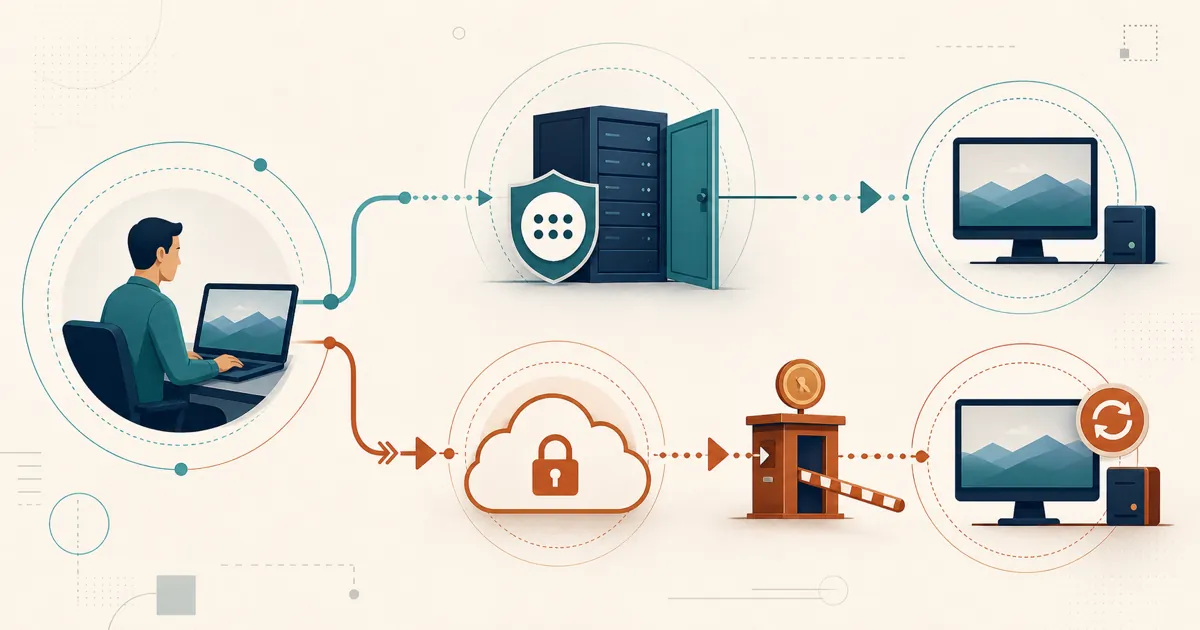
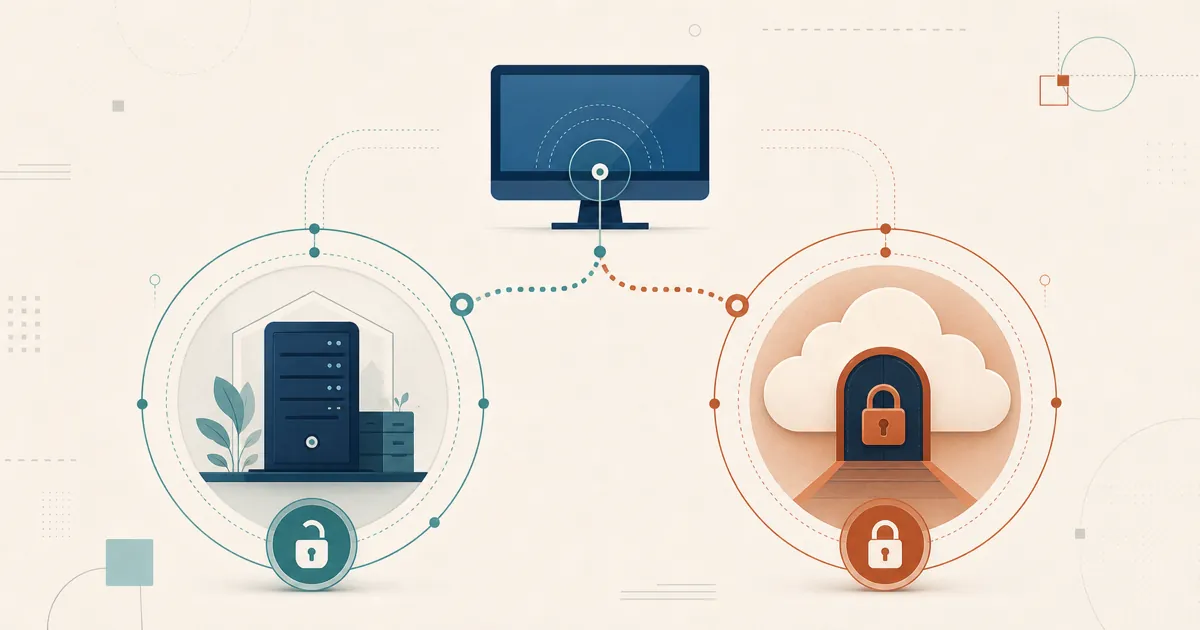
RustDesk and AnyDesk approach remote desktop from opposite ends: AnyDesk is a proprietary product brokered through the vendor’s cloud, while RustDesk is open source and built to run on a server you control. That difference — who hosts the infrastructure and who can read the code — runs through everything else in this comparison, from the security model to how concurrency is priced.
Table of contents
- Overview
- Feature comparison at a glance
- OS and platform support
- Security and identity
- Licensing and pricing models
- Pros and cons
- Why teams switch to RustDesk anyway
- Try RustDesk
- Related reading
- Sources
Overview
AnyDesk is a proprietary, commercial remote-desktop product from AnyDesk Software GmbH (formerly philandro Software GmbH), founded in 2014 in Stuttgart, Germany. It built its reputation on a lightweight client and a low-latency proprietary codec (DeskRT), and today it is a widely deployed tool used by individual technicians, help desks, and enterprises. AnyDesk is closed source: you connect through AnyDesk’s cloud infrastructure by default, and the higher tiers add an on-premises appliance option. It is a managed experience — you rent access to the network AnyDesk runs.
RustDesk inverts those defaults. It is an open-source platform under the AGPL, so rather than renting access to a network AnyDesk runs, you operate the ID/rendezvous and relay servers yourself on your own machine or VPS — session brokering and traffic stay on infrastructure you control, and the client can be audited and built from source. One contrast with AnyDesk stands out: there is a free community server that runs indefinitely at no cost. RustDesk Pro adds a self-hosted web console, a custom-branded client generator, device groups, and a shared address book on top. It is aimed at teams that want ownership and data sovereignty and are comfortable running a server — both its biggest strength and the main thing to weigh before you commit.
The rest of this article compares them feature by feature, then covers the parts of the decision that don’t fit in a table.
Feature comparison at a glance
Both tools cover the core remote-support workflow. The differences are less about “does it have feature X” and more about how you get it — hosted vs self-hosted, per-seat vs per-user-and-device, gated behind a tier vs available in the open client.
| Capability | RustDesk | AnyDesk |
|---|---|---|
| Remote view and control | Yes | Yes |
| Unattended access | Yes (permanent password / managed devices) | Yes |
| File transfer | Yes (both directions) | Yes (file-browser mode) |
| In-session text chat | Yes | Yes |
| Session recording | Yes (can auto-record incoming/outgoing) | Yes (stored locally; both ends) |
| Remote printing | Yes — remote printer for incoming connections (Windows) | Yes (AnyDesk printer) |
| Mobile clients | Android; iOS controller-only | Android; iOS/iPadOS outgoing-only |
| Self-hosted server | Yes — core to the product (Server Pro) | Appliance available on the top tier only |
| Open source | Yes (AGPL) | No (proprietary) |
| Custom-branded client | Yes (built-in generator, Basic plan and up) | Yes (customization / custom namespace on top tier) |
| REST API | Yes | Yes (my.anydesk console) |
| Concurrent connection cap | Unlimited on standard plans; limited on Customized V2 | Tied to plan tier (see pricing) |
The RustDesk feature rows above are confirmed against RustDesk’s own documentation; the AnyDesk rows are from AnyDesk’s support docs and feature pages.
OS and platform support
Both products are genuinely cross-platform on the desktop. The meaningful gaps are on mobile and on the less-common desktop targets.
| Platform | RustDesk | AnyDesk |
|---|---|---|
| Windows | Yes — x64, ARM64, 32-bit | Yes (XP SP2 and later) |
| macOS | Yes — Apple Silicon & Intel | Yes (11 Big Sur and later) |
| Linux | Yes — x86_64, ARM64 & ARM32; strong Wayland | Yes (Ubuntu/Debian/RHEL/SUSE/Mint) |
| Android | Yes — arm64, arm32, x64 (host & controller) | Yes (control plugin required) |
| iOS / iPadOS | Controller only (no host, per Apple restrictions) | Controller only (cannot be controlled, per Apple restrictions) |
| Raspberry Pi | Yes — official ARM64/ARM32 Linux builds | Yes (Raspberry Pi OS 12+) |
| Chrome OS | — (no ChromeOS client; Android builds ship via GitHub releases / F-Droid, not Google Play) | View-only (control not supported) |
| tvOS / Apple TV | Not offered | Outgoing only (limited file transfer/recording) |
RustDesk officially lists Windows, macOS, Linux, Android, and iOS. AnyDesk’s supported-OS documentation covers a couple of niche targets (Chrome OS viewing, tvOS), but with the same Apple-imposed limitation everyone hits: on iOS/iPadOS you can control out to another machine, but you can’t be fully controlled from one. Raspberry Pi appliances are covered on the RustDesk side by the official ARM64/ARM32 Linux builds; if you specifically need a Chrome OS or Apple TV client, verify the current state on the vendor’s page before deciding — those targets change.
Security and identity
This is the section where the two products diverge philosophically, not just on a checkbox.
AnyDesk’s security model. AnyDesk secures sessions with TLS 1.2 (AEAD), an RSA-2048 asymmetric key exchange, 256-bit AES transport encryption, and Perfect Forward Secrecy via an ephemeral Diffie-Hellman handshake. It offers two-factor authentication (TOTP) for unattended access, an access-control list / allowlist to restrict who can connect, and salted-hash password storage. These are solid, industry-standard protections. The catch is that you are trusting a closed-source vendor and, by default, that vendor’s cloud to broker your connections — you cannot audit the code, and you rely on AnyDesk’s own operational security.
That last point is the structural trade-off of any vendor-operated service: when a third party brokers your connections, its operational security becomes part of your own attack surface, and a provider running remote-access infrastructure for many customers is itself a high-value target. That concentration risk is something you can neither inspect nor control.
RustDesk’s security model. The way to shrink that concentration risk is to stop outsourcing the broker. RustDesk is open source under the AGPL, and Server Pro lets you operate the rendezvous, relay, and console yourself — so the closed vendor cloud AnyDesk relies on by default is simply not in the path. That does not eliminate endpoint, credential, configuration, or software-vulnerability risk; review the latest RustDesk releases and public vulnerability records as part of deployment hardening.
Identity and directory integration. For teams that live in Active Directory or an OIDC identity provider, LDAP and SSO matter. RustDesk offers LDAP and SSO (OIDC) from the Basic plan and up. AnyDesk’s official pricing page, checked July 7, 2026, lists SSO on Ultimate; confirm directory requirements in a written quote. If single sign-on is mandatory, note which tier each vendor requires rather than treating identity as a generic checkbox. RustDesk’s LDAP and Active Directory setup guide walks through its configuration.
For teams whose whole reason for looking is keeping session data inside their own borders, remote desktop and data sovereignty under GDPR goes deeper than we can here, and the RustDesk source on GitHub is open to inspection.
Licensing and pricing models
Prices change constantly, so this section compares models, not exact dollar amounts. The plan limits below come from AnyDesk’s official pricing page, checked July 7, 2026; do not treat them as permanent.
AnyDesk licenses on a plan-tier model and states that all listed plans are billed annually:
- Solo — one licensed user, one non-scalable concurrent connection, three registered outgoing devices, and 100 managed devices.
- Standard — up to 20 users, one included concurrent connection, connection add-ons up to 20, and 500 managed devices.
- Advanced — up to 100 users, two included concurrent connections, connection add-ons up to 50, and 1,000 managed devices.
- Ultimate — custom-quoted cloud or on-premises hosting, starting at five licensed users and 2,000 managed devices, with user and concurrency capacity defined in the quote.
The two things to internalize about this model are annual billing and plan-specific concurrent-connection capacity. Scaling simultaneous connections can require add-ons or a different tier. Verify the current page and a dated written quote before budgeting because public packaging can change after this article’s check date.
RustDesk licenses by login users plus managed devices, with prorated upgrades. Standard plans include unlimited concurrent connections, while Customized V2 limits and prices them separately. Because your cost becomes infrastructure plus a license you control rather than a per-seat cloud renewal, compare current quotes for the same user, device, feature, and concurrency requirements to see how it lands for your fleet. See RustDesk Pro pricing.
Because RustDesk pricing itself shifts, this article deliberately doesn’t quote a RustDesk dollar figure — the current numbers live at rustdesk.com/pricing.
Pros and cons
RustDesk
Pros:
- Per-user + per-device licensing with prorated upgrades, rather than per-plan-tier packaging
- Self-hosted ID/rendezvous and relay keep session brokering and traffic on your own infrastructure, not a vendor cloud
- Open source (AGPL) — auditable and buildable, no closed-source black box
- LDAP/SSO from the Basic plan and up, not reserved for the top tier
- Custom-branded client generator, self-hosted web console, device groups, and a shared address book
- Free community server runs indefinitely
Cons:
- You run, patch, and update the server yourself
- No fully free trial of Server Pro (email [email protected] for a test license)
AnyDesk
Pros:
- Cloud-brokered: nothing to self-host on lower tiers — install a client and connect
- Documented Chrome OS viewing and tvOS clients
- RMM/ITSM integrations and a REST API
- Standard encryption (TLS 1.2, AES-256) and TOTP 2FA
Cons:
- Closed source — you cannot audit the client
- Default reliance on AnyDesk’s cloud; on-premises appliance only on the top tier
- Concurrent sessions bounded by plan tier; annual up-front billing
- SSO listed on Ultimate as of the July 7, 2026 pricing-page check
Why teams switch to RustDesk anyway
Everything above is the neutral comparison. This section is the part where RustDesk’s case is made plainly — read it as such.
The teams that move to RustDesk after evaluating AnyDesk tend to cite the same handful of reasons: self-hosting, customization, and a focus on security and privacy.
Data sovereignty is the headline. For regulated environments and anyone doing business under GDPR, keeping session data on infrastructure you control is frequently the whole requirement, not a nice-to-have. See why self-host your remote desktop software for the full argument.
Open source is auditable trust. You don’t have to believe the vendor about what the client does — you can read it, build it, and verify it.
Fleet limits still need sizing. The licensing model counts login users and managed devices; at fleet size, RustDesk publishes large-fleet planning guidance, but capacity still needs validation against the actual rollout.
It’s built for the people who’d be doing the switching. MSPs get one self-hosted, brandable tool (RustDesk for MSPs); enterprises get a self-hosted, AD-ready platform (RustDesk for Enterprise). If you arrived here specifically because AnyDesk’s pricing changed, AnyDesk price increase: alternatives for teams and the best AnyDesk alternative in 2026 are written for exactly that moment.
Try RustDesk
Spin up the free community server and point a couple of devices at it — no cost, no sales call. For the Pro features, email [email protected] about current evaluation terms or see rustdesk.com/pricing. Prefer to watch first? There’s a video walkthrough on the RustDesk YouTube channel.
Related reading
- RustDesk vs TeamViewer
- RustDesk vs ScreenConnect
- Best AnyDesk Alternative: Self-Hosted RustDesk
- TeamViewer vs AnyDesk for MSPs
- AnyDesk Price Increase: Alternatives for Teams
- Is AnyDesk Safe?
Sources
- AnyDesk pricing — official plan limits, annual billing, concurrent connections, managed devices, and cloud/on-premises availability; checked July 7, 2026.
- AnyDesk client settings — direct connections, public-network relay fallback, unattended access, and access controls.
Frequently asked questions
Is RustDesk a free, open-source alternative to AnyDesk?
Yes. RustDesk is open source under the AGPL and its community server is free to self-host with no expiry. Paid Server Pro adds centralized management, licensed by login users and managed devices.
Can RustDesk be fully self-hosted, unlike AnyDesk?
Yes — self-hosting is core to RustDesk: the ID/rendezvous and relay servers run on your own machine or VPS. AnyDesk brokers connections through its cloud by default and offers an on-premises appliance only on its top tier.
How does RustDesk pricing compare to AnyDesk?
AnyDesk licenses by plan tier with plan-specific concurrent connections; RustDesk licenses by login users plus managed devices, with unlimited concurrency on standard plans (only Customized V2 meters it). Compare current written quotes for the same scope, including the cost of running your own server.
Does RustDesk support SSO and LDAP like AnyDesk?
RustDesk includes LDAP and OIDC SSO from the Basic plan and up. AnyDesk lists SSO on its Ultimate tier as of the July 7, 2026 pricing check; confirm directory requirements in a written quote.